
How to make B2B orders (EU)
Step 1: Access the Store
Open the Virtual Racing School store.
This ensures your order is linked to your account.
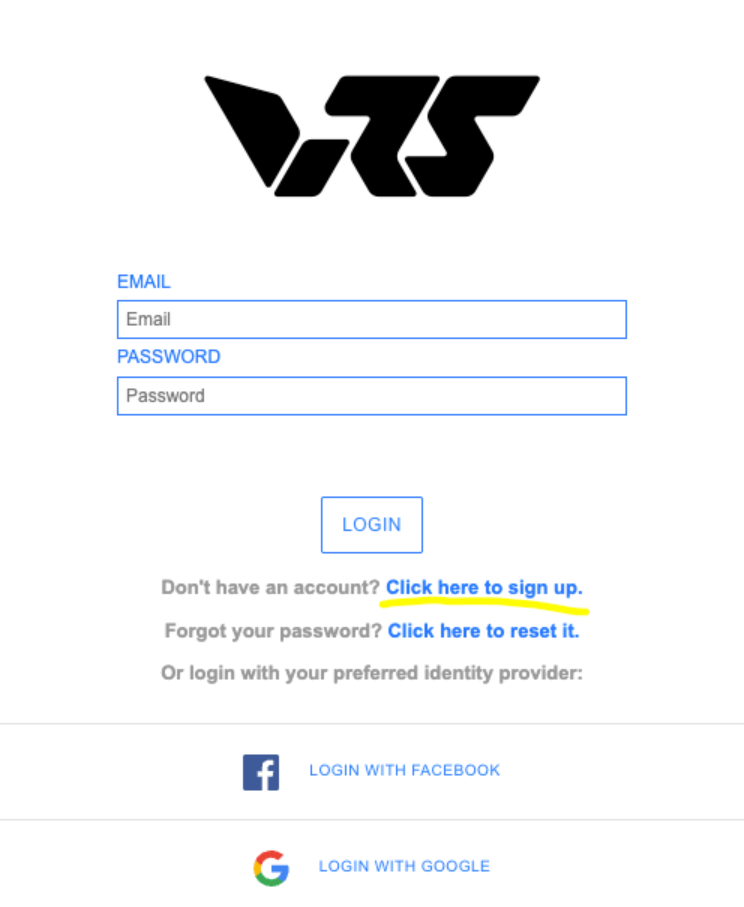
Step 2: Log In
Confirm that you are logged in by checking the left-side menu.
If you are not registered, create an account (this takes only a few seconds).
Step 3: Add Items to Cart
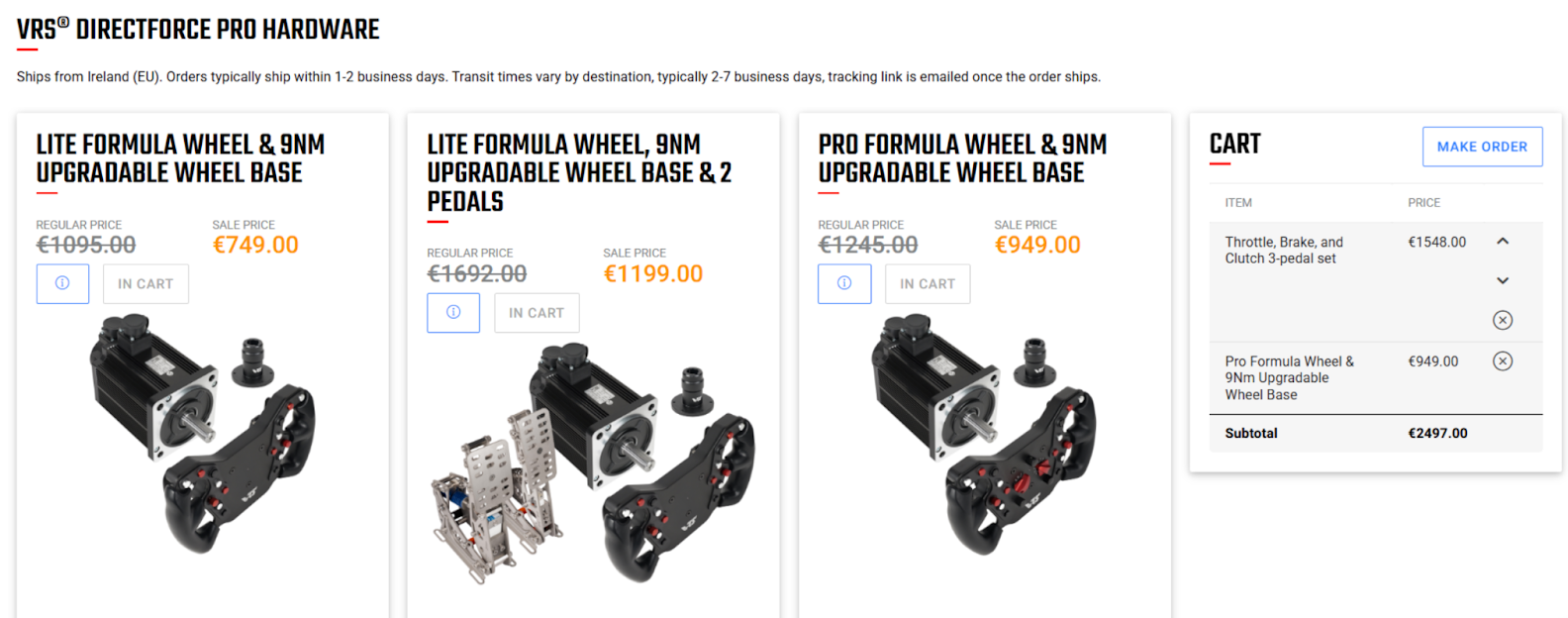
Select the items you wish to purchase.
Your cart will appear once items are added
Step 4: Place Your Order
Click the "Make Order" button.
Step 5: Business Orders (If Applicable)
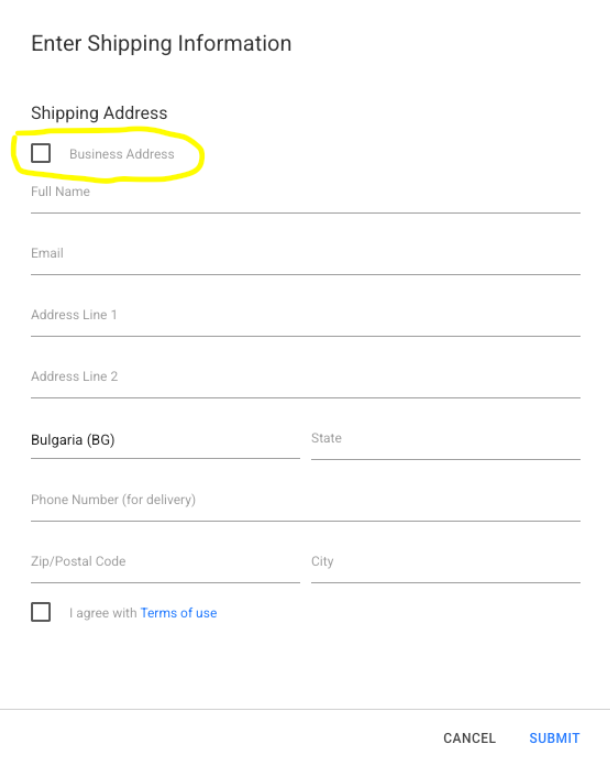
If making a business order, click the underlined section.
Fill in the business details (ensure the shipping address is correct and you’ll receive an invoice for B2B).
Step 6: Order Confirmation & Processing
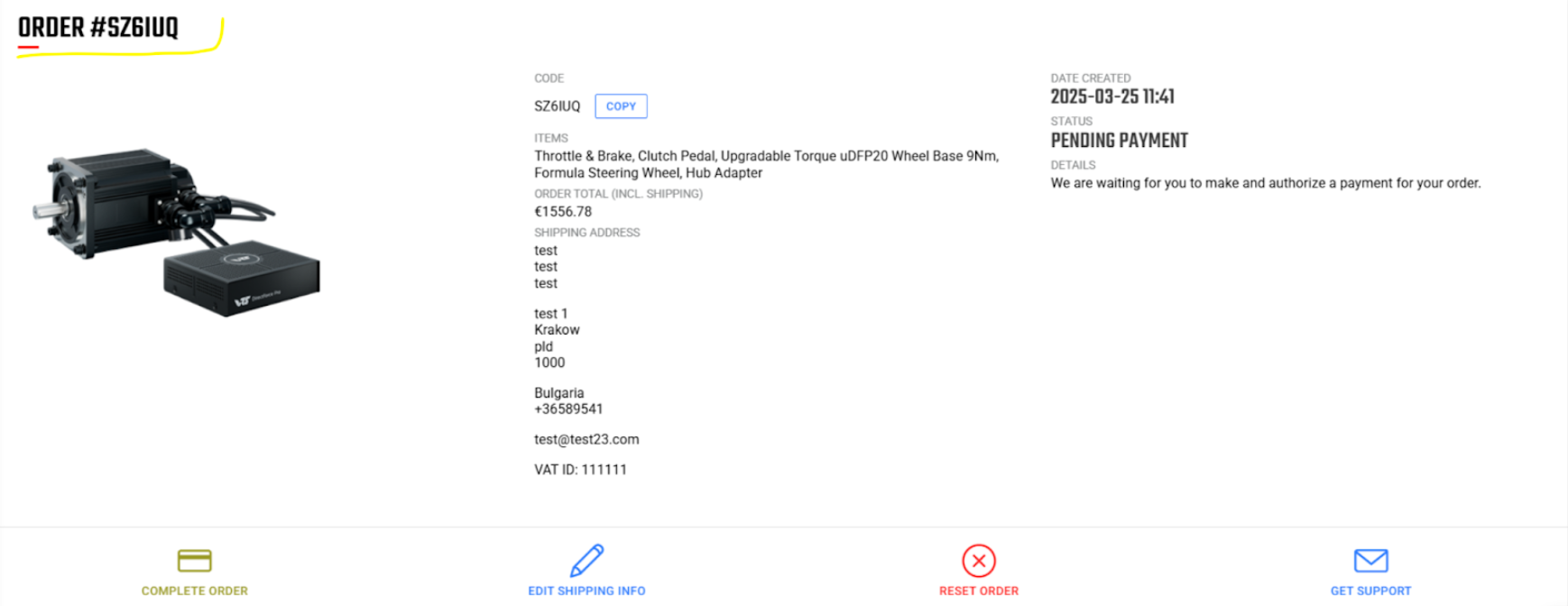
The order will be generated and marked as pending in your account.
If a discount applies or internal hardware is ordered, email the order number to ivaylo@vrs.racing
If you have any issues with the order itself or hardware, contact info@vrs.racing
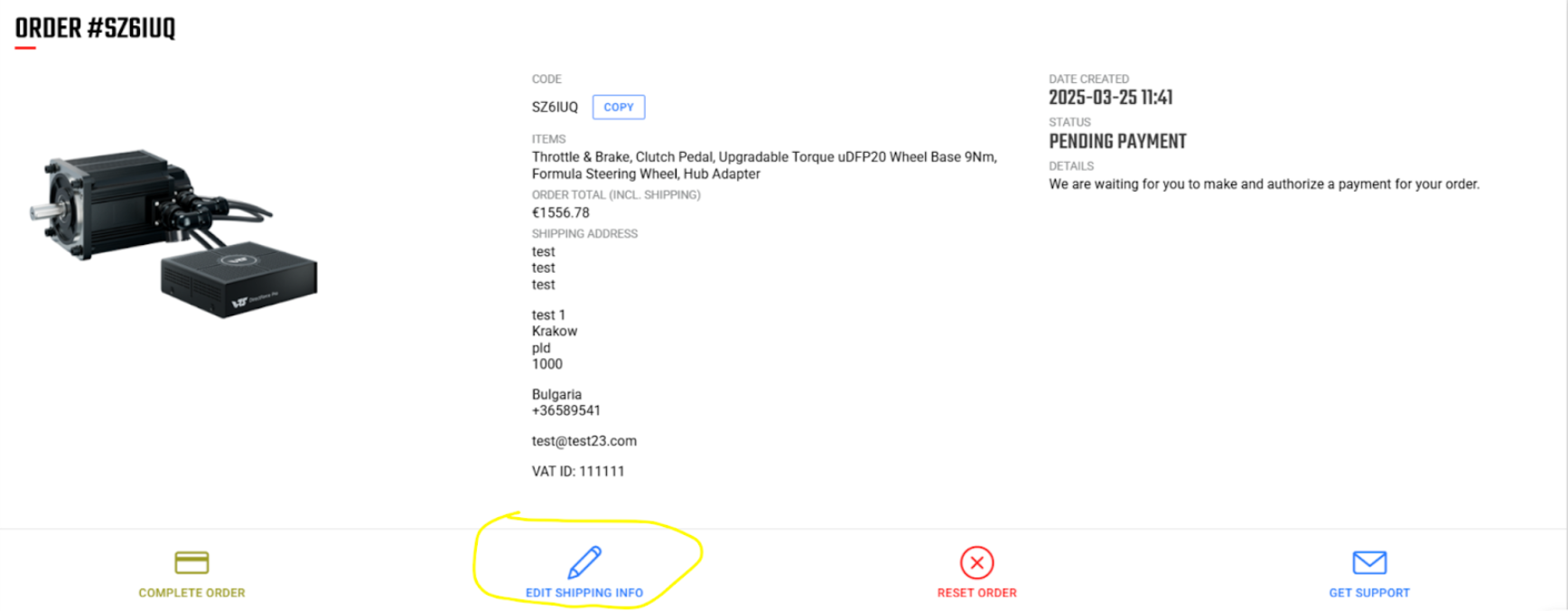
Step 7: Viewing & Editing Pending Orders
If unpaid or custom, the order will appear at the bottom of the store page.
You can:
Edit the order
Cancel it
Modify shipping details
Step 8: Complete Payment
Finalize the order by making the payment.
Step 9: Receive Tracking Information
Once the order is paid and complete, you will receive a tracking number via email.